Meshy has just launched Meshy 7 — a new version of its AI image-to-3D model tool, focused on solving the problem of "models that look good but don't resemble the original image." This is a notable upgrade for anyone who uses AI to create STL/OBJ files from photos or concept art before sending them to a 3D printer.
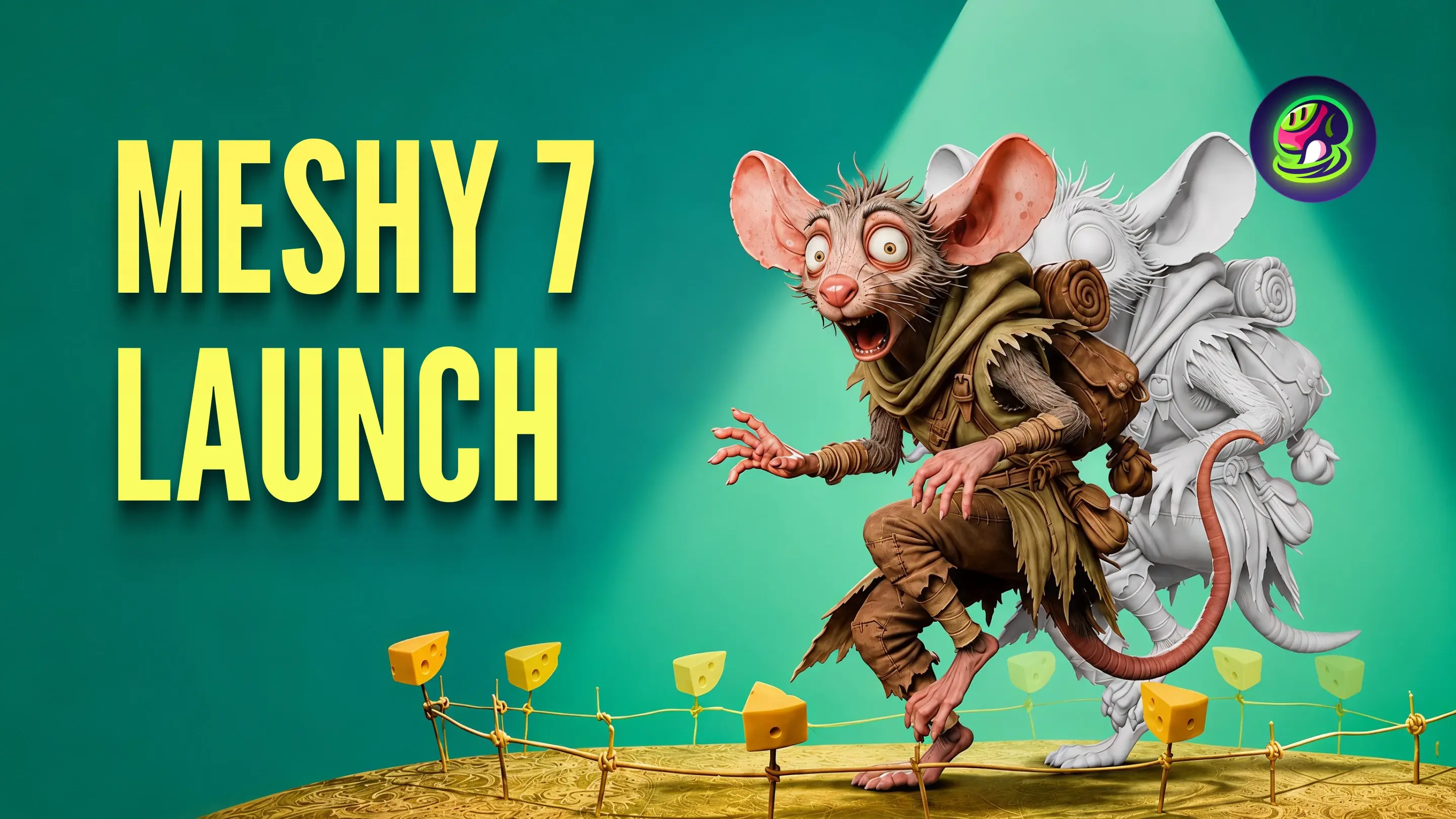
Meshy 7 — a new generation AI model that converts images into 3D shapes. Source: Meshy.
The problem Meshy 7 solves
If you've ever used AI image-to-3D tools to create files for quick printing — for example, photographing a toy and turning it into an STL file, or taking character concept art to print as a figure — you may have encountered this situation: the 3D model looks "clean," with no broken mesh, but doesn't really look like the original imageLimbs in the wrong position, disproportionate body, and engraved surface patterns disappearing.
Meshy calls this the "geometry alignment" issue — the geometric fit between the input image and the generated 3D model. According to Meshy, serious mesh errors (missing limbs, meaningless shapes) are now rare in leading AI models, so the key issue is no longer "can a valid model be created?" but "is the model exactly what the user wants?"
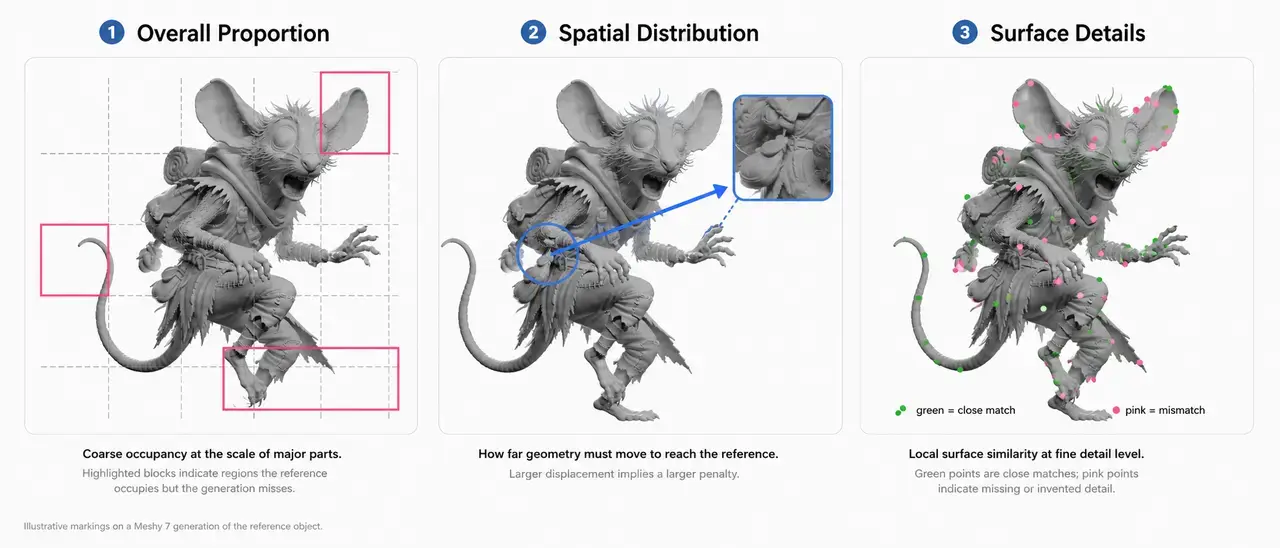
Three metrics for measuring geometric alignment: overall scale, spatial distribution, surface details — illustrated on a model created by Meshy 7. Source: Meshy.
What Meshy 7 improves
According to the official announcement from Meshy (12/8/2026), version 7 has been improved in three areas:
Read the input image more carefully: the image encoder (image encoder) has been upgraded to read details at multiple scales and accept higher-resolution images, helping retain small shape details from the original image.
Training data is better matched: each training data sample is rebuilt to accurately correspond to the target geometry, removing the influence of style, lighting, and background images.
Feed geometric matching into the training evaluation loop: During the development process, Meshy uses this metric as a direct evaluation signal, rather than evaluating only by intuition or a language-vision model.
Benchmark results (with only one input image)
Criteria | Meshy 7 | Meshy 6 Lite | Tripo 3.1 | Hunyuan3D 3.1 | Rodin 2.5 | Hi3D 2.1 |
|---|---|---|---|---|---|---|
Overall ratio | 81.0% | 78.2% | 79.0% | 76.7% | 72.0% | 79.1% |
Spatial distribution | 79.7% | 75.2% | 78.4% | 73.7% | 71.4% | 76.5% |
Surface details | 59.8% | 52,7% | 51,7% | 54,5% | 49,0% | 55,2% |
FACT: The data published by Meshy on its official blog, measured against the input image at the "top-quarter" angle (upper oblique angle), compared with four other competing AI models. The 100% level is the reference model compared to itself.
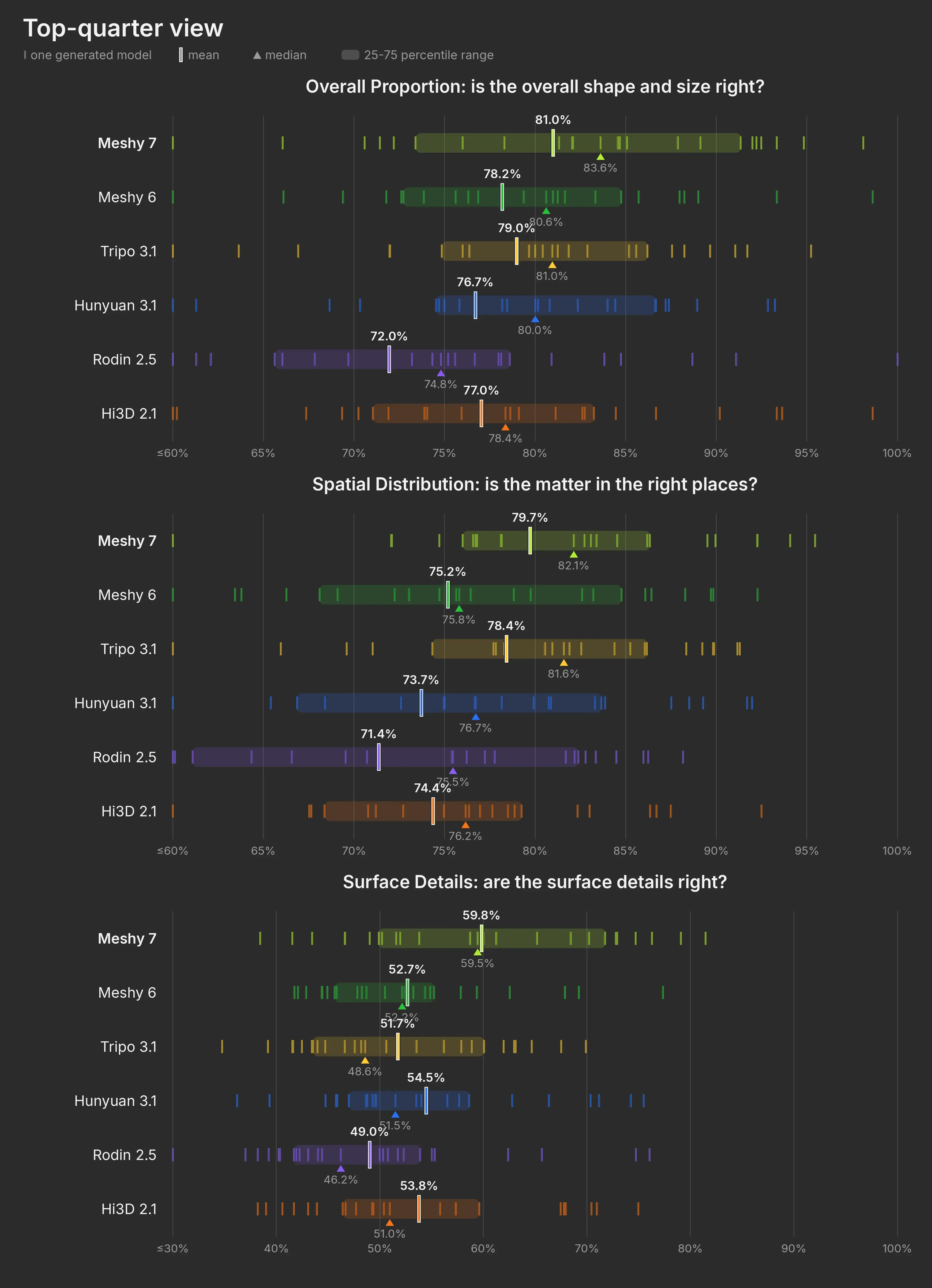
Benchmark score distribution under the condition of a single upper oblique input image (top-quarter). Source: Meshy.
Meshy 7 leads on all three criteria when only one input image is provided, and the largest gap is in "surface detail" — the hardest part, where no model has yet exceeded 60%. When four images (front, back, left, right) are provided, the gap between the top models narrows, and some competitors such as Tripo 3.1 even surpass Meshy 7 on a few metrics.
Strengths and practical limitations
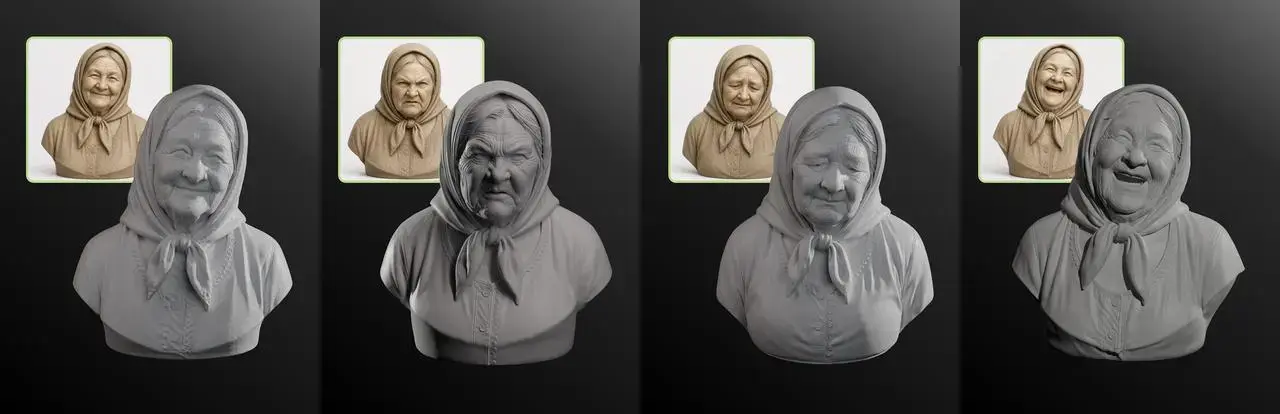
Four bust models created by Meshy 7, each image accompanied by the original reference photo — facial expressions are kept quite close. Source: Meshy.
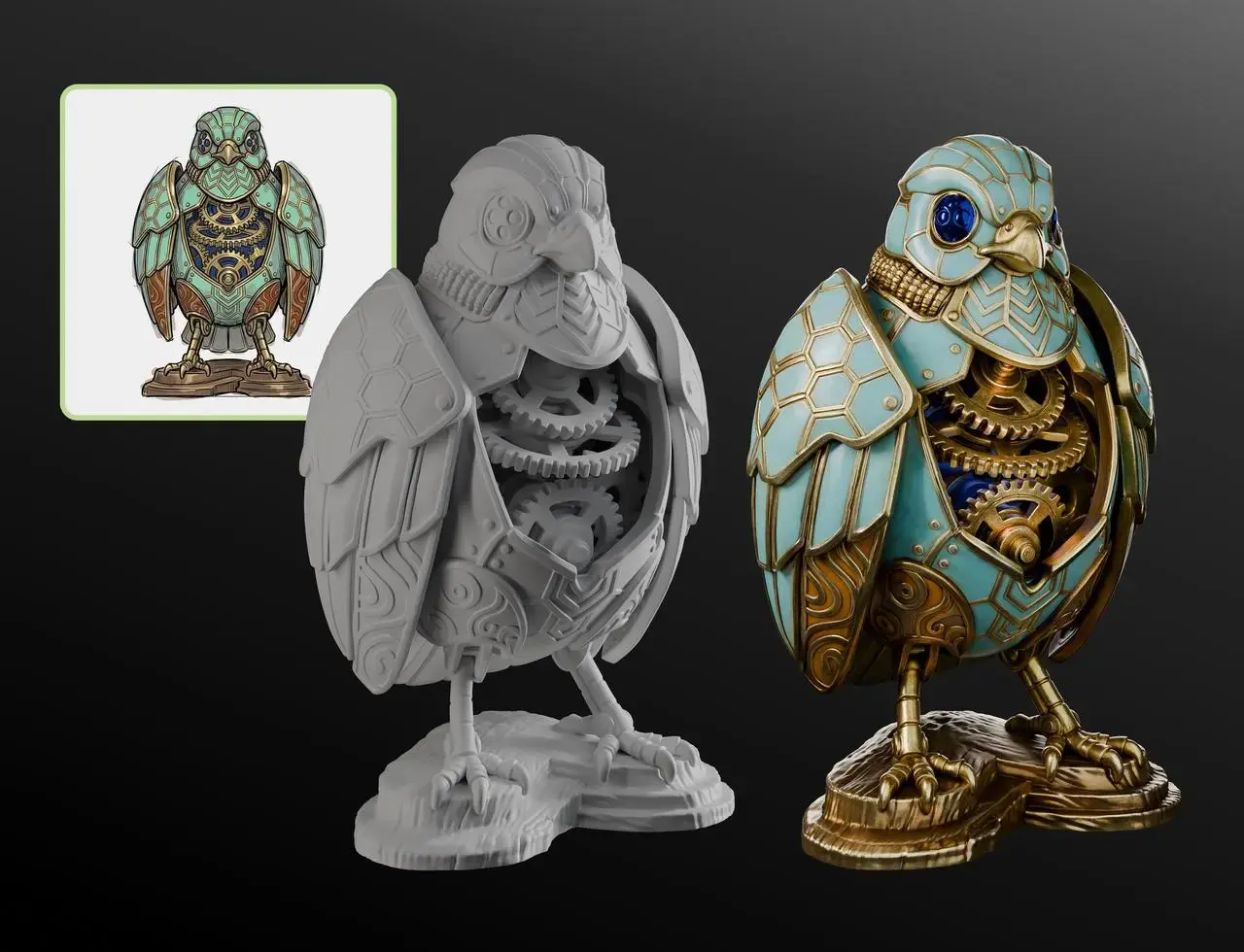
Concept art (trái), hình học tạo ra và kết quả có texture (phải) — các bộ phận cơ khí phức tạp được sắp xếp đúng vị trí. Nguồn: Meshy.
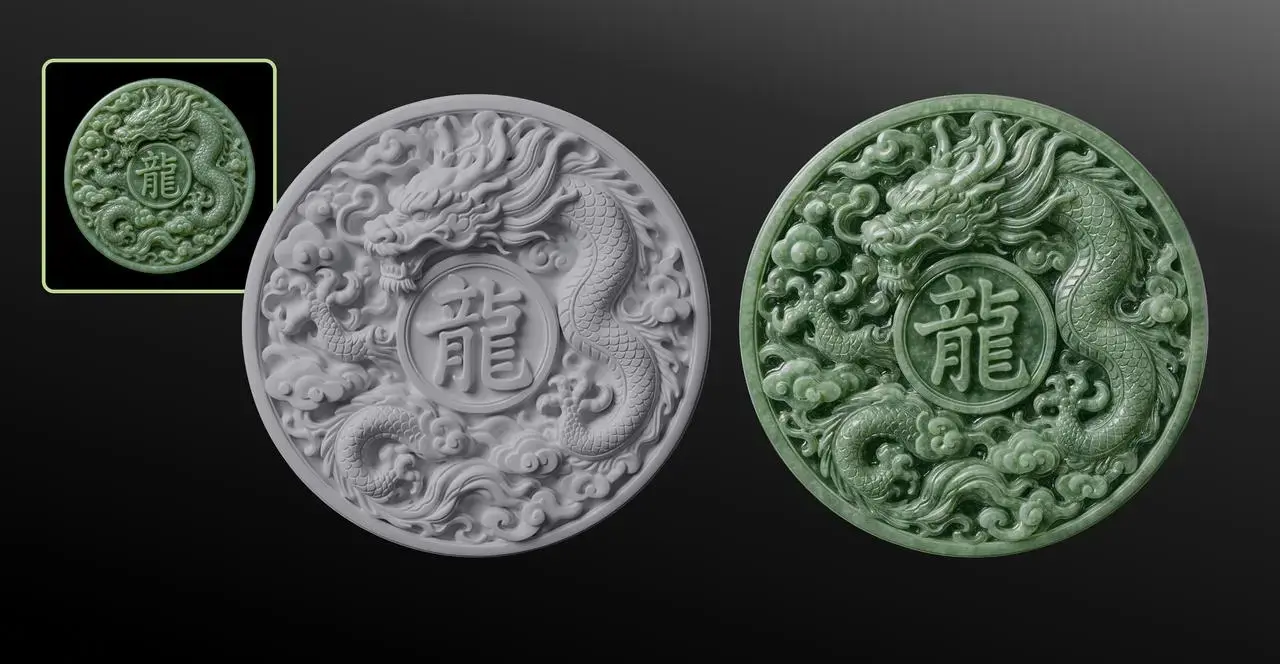
Đồng xu ngọc bích chạm nổi hình rồng — thử nghiệm khó về chi tiết bề mặt mỏng, dày đặc. Nguồn: Meshy.
Từ các ví dụ minh họa mà Meshy công bố:
Điểm mạnh: giữ được biểu cảm khuôn mặt tượng bán thân, sắp xếp đúng vị trí các bộ phận cơ khí phức tạp (ví dụ mô hình cú máy có nhiều lớp cánh, bánh răng), và giữ được hoa văn chạm nổi dày đặc (ví dụ mặt đồng xu ngọc bích khắc rồng).
Remaining limitations: loose hair and thin strands are still merged by AI into thick clumps instead of being separated into individual strands; exact repeating patterns (such as identical rows of windows on a multi-story building) are still misaligned and irregular.
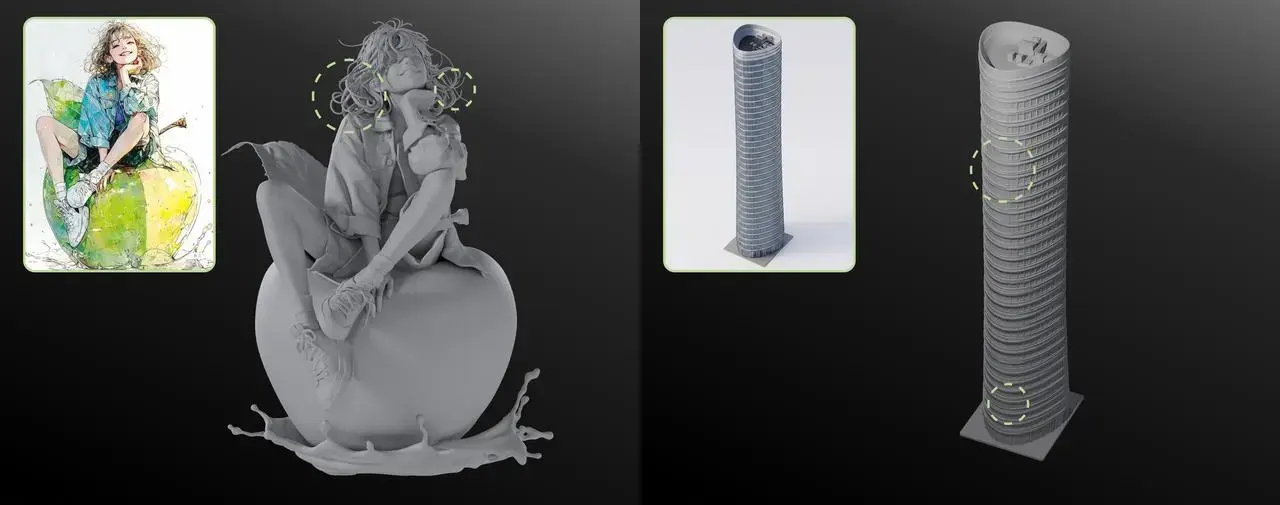
Two common limitations: thin hair merged into thick clumps (left), repeating building patterns misaligned (right). Source: Meshy.
These are two points that 3D printing users should note if they plan to use Meshy 7 to create models with detailed hair or evenly repeating patterns — manual editing in CAD software or a slicer may still be required before printing.
Usage and pricing
Meshy 7 chính thức hoạt động từ 10/8/2026, mở cho tất cả người dùng đã đăng ký tài khoản Meshy.
Chế độ "Ultra Mode" của Meshy 7 hiện chỉ hỗ trợ ảnh đầu vào đơn (single-view); hỗ trợ nhiều góc ảnh sẽ có sau.
Tải file mô hình đã tạo yêu cầu gói Pro trở lên— A free account can create models for viewing but cannot download them.
Meshy offers a plugin that integrates with popular 3D printing software, including Bambu Studio, Creality Print, OrcaSlicer, Cura, and Lychee Slicer.
Why does this matter for 3D printing enthusiasts?
REPORT/OPINION: For creators of figurines, decorative models, or custom accessories based on reference photos, an AI model that more closely resembles the original image means less manual mesh editing before printing. This saves time on post-processing in Blender or other mesh editing software. However, it’s important to note that these benchmark figures were published by Meshy and measured on a self-selected dataset. Users should test the technology on their own photos to determine if the improvements live up to the claims.
Reference source
Meshy (official blog) — https://www.meshy.ai/blog/meshy-7-image-to-3d-geometry-alignment — All benchmark data, technical descriptions, release date, service package policies, and illustrations.
PR Newswire (Meshy press release) — liên kết — Xác nhận ngày ra mắt và số liệu benchmark.
3D Printing Industry — link — Context comparison with the previous Meshy 6 version.
Fabbaloo — link— Analytical perspective from a 3D printing magazine on the issue of "AI slop" in 3D models.