
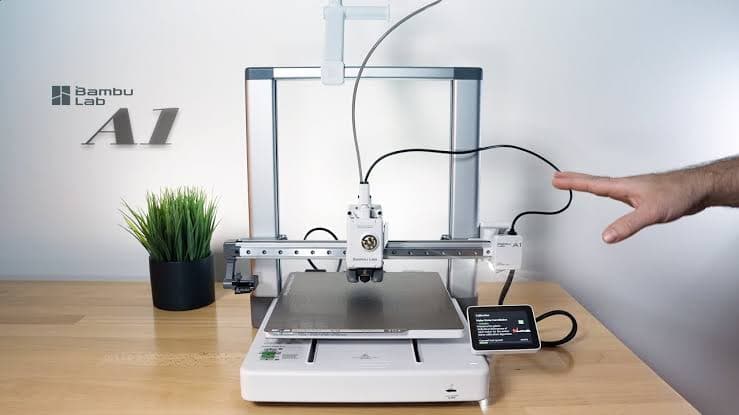
Experience of 3D PLA printing on Bambu Lab A1
3D printing with PLA material on Bambu Lab A1 is one of the best first experiences for beginner users. PLA (Polylactic acid) is an environmentally friendly material, low warping and easy to print, suitable for the ecosystem of Bambu Lab A1.
1. Selecting and preparing the model
Before 3D printing, you need to ensure your model complies with printing principles. The model should be exported as STL or OBJ files, check errors using software such as Meshmixer or PrusaSlicer. Model dimensions should be adjusted to match the build size of Bambu Lab A1 (256 x 256 x 256 mm).
2. Setting up the material and printer
The Bambu Lab A1 machine supports automatic filament loading. When printing 3D PLA, select the PLA profile on the device screen. Ensure the print head is clean and the build surface is clean. A cool glass surface or PEI surface is available on the machine to ensure good adhesion without the need for a glue stick.
3. Optimal print settings for PLA
For high-quality 3D PLA printing, the following parameters are key: Nozzle temperature 200-220°C, bed temperature 50-60°C. Print speed should start from 40-60 mm/s. The nozzle-to-bed distance (first layer height) needs to be adjusted precisely, approximately 0.2mm for a thicker first layer to ensure adhesion.
4. Convert files and start printing
Use BambuStudio software to slice the model. Import the model, set its position, and slice with the default PLA settings of the Bambu Lab A1. Review the preview to check the print paths and avoid unnecessary printing on the surface. After slicing, export the .gcode file and transfer it via USB, Wi-Fi, or SD card.
5. Post-processing and finishing
Once 3D printing is complete, the product typically only requires natural cooling. For a smooth finish, you can use fine sandpaper or compressed air to remove dust. PLA can be gently heated for shape adjustment, but avoid high temperatures to prevent warping.
6. Common errors and solutions
First layer adhesion failure: Check the build surface, clean it with alcohol, and ensure the surface temperature is correct.
Layer delamination: Reduce the 3D printing speed and check the thickness of the first layer.
Printing nozzle: Increase temperature of the nozzel, ensure no draft into the printing area.
Conclusion: Mastering the 3d PLA printing technique on Bambu Lab A1 helps beginners quickly create accurate and beautiful models. Experimenting with different parameters and models will help you continuously improve your skills.